


Vertical Wave
on photoshop cs3! Please comment the comment box if
this tutorial helps you.
Step One
*Make a new image 200x400 or your size choice* or*open your sign and make a new layer*.
Grab your rectangular marquee tool and make a line.
Now fill it with the first color of your color scheme.
Repeat that 3 more times if you have a 4-colorscheme
or 4 if you have a 5-colorscheme.
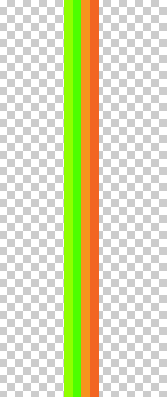
Your image should look something like this now:
Step Two
Now go to Filter>Distort>Wave and match your settings withmine then click ok.
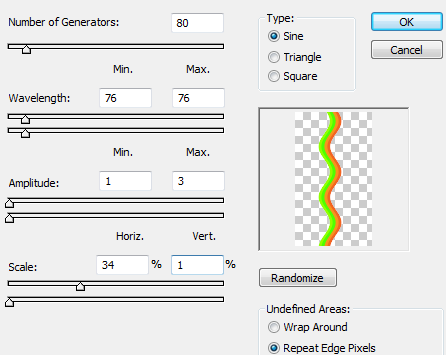
Now you're finished and if you want to make zig-zag waves
Just step backward then go back to Filter>Distort>Wave &
uncheck sine and check 'triangle'
Finished Product

Please comment the comment box if you use this tutorial! c:
HORIZONTAL WAVE
on photoshop cs3! Please comment the comment box if
this tutorial helps you.
Step One
*Make a new image 400x200 or your size choice* or*open your sign and make a new layer*.
Grab your rectangular marquee tool and make a line.
Now fill it with the first color of your color scheme.
Repeat that 3 more times if you have a 4-colorscheme
or 4 if you have a 5-colorscheme.
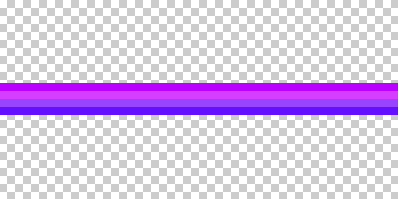
Your image should look something like this now:
Step Two
Now go to Filter>Distort>Wave and match your settings withmine then click ok.
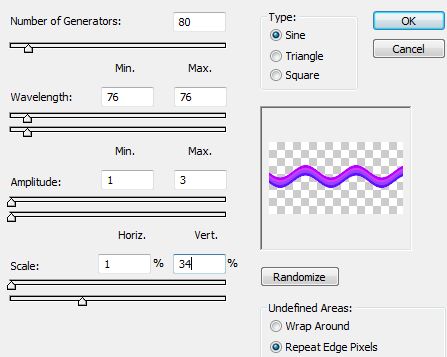
Now you're finished and if you want to make zig-zag waves
Just step backward then go back to Filter>Distort>Wave &
uncheck sine and check 'triangle'
Finished Product
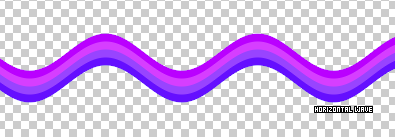
Please comment the comment box if you use this tutorial!


